I built a few challenges for a spiderman themed CTF conducted in our university. I had a really fun time building them so here are few things I found interesting.
The Challenges
1. Do you need glasses?
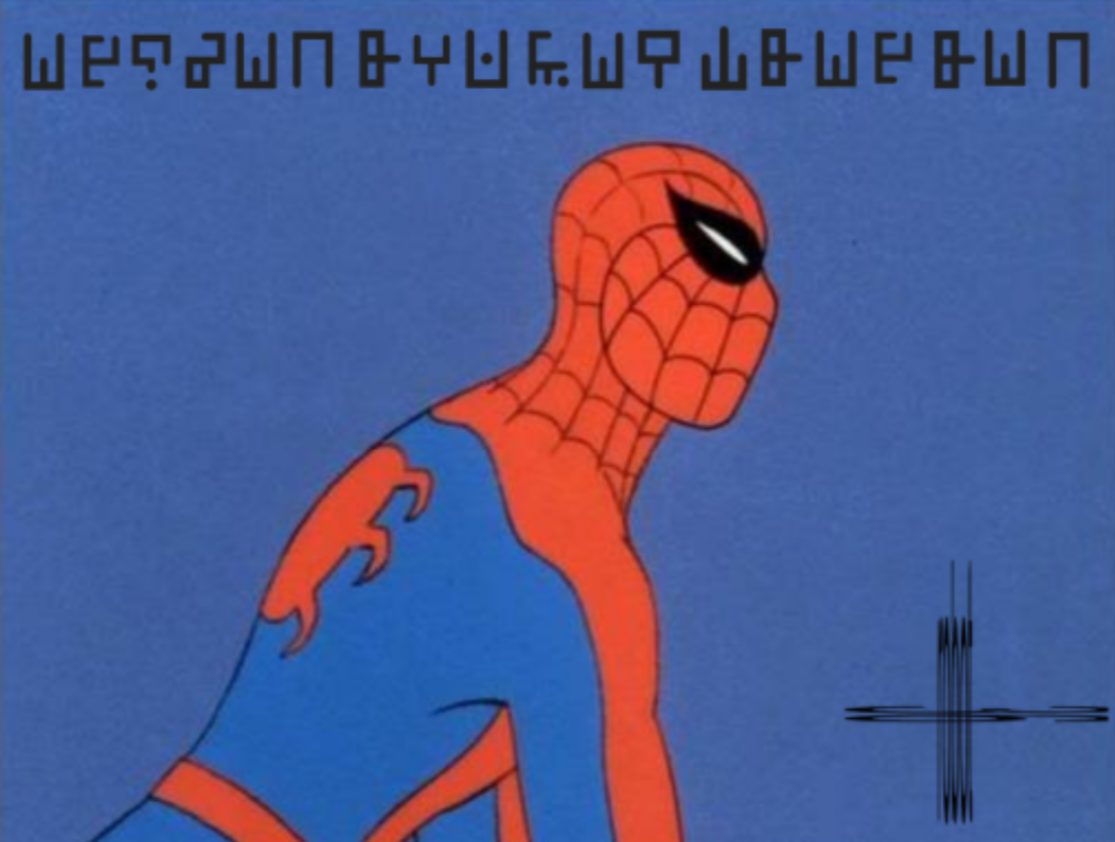
This was one of my favorite challenges I built. It is a stegnography challenge.
The solver first needs to look at the bottom right side of the image, and realise that those are words stretched. By looking at them from a different angle (i.e. bottom and side) they can read the text as Robot 36.
After looking up what Robot36 is, the solver will realise that it is an SSTV image decoder which, of course, means that it takes audio as input.
This indicates there is an audio file hidden in the image.
Then you have to find the signature bits / magic bits of an mp3 and search the HEX. Wherever the signature bits of the mp3 start, all the bits before that need to be removed. Then the .mp3 file will be extracted from the image.
The .mp3 file played in Robot36 will provide an output like this:
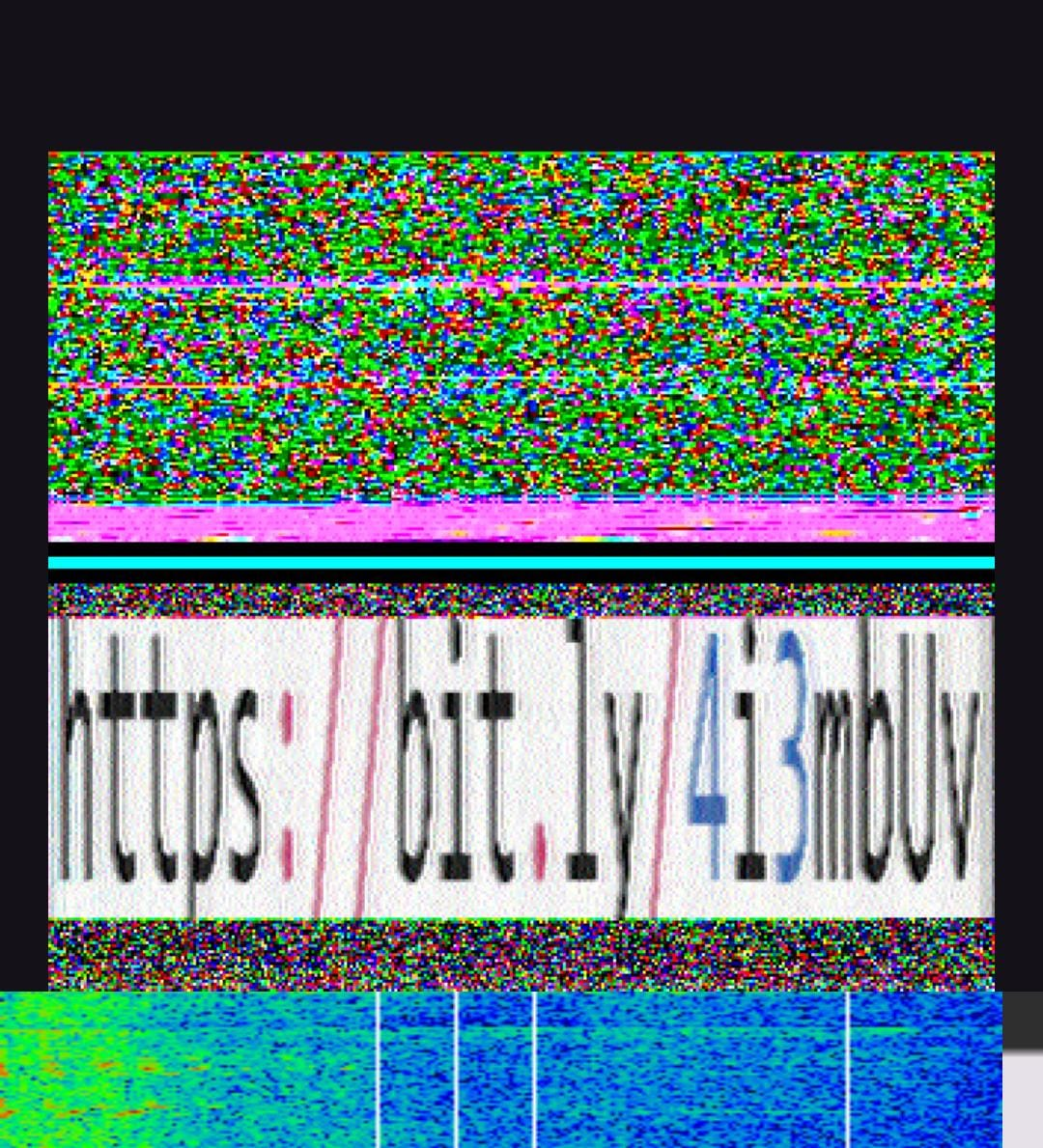
Going to the link redirects you to an image that tells you how to decode those runes in the original image, giving you the flag.
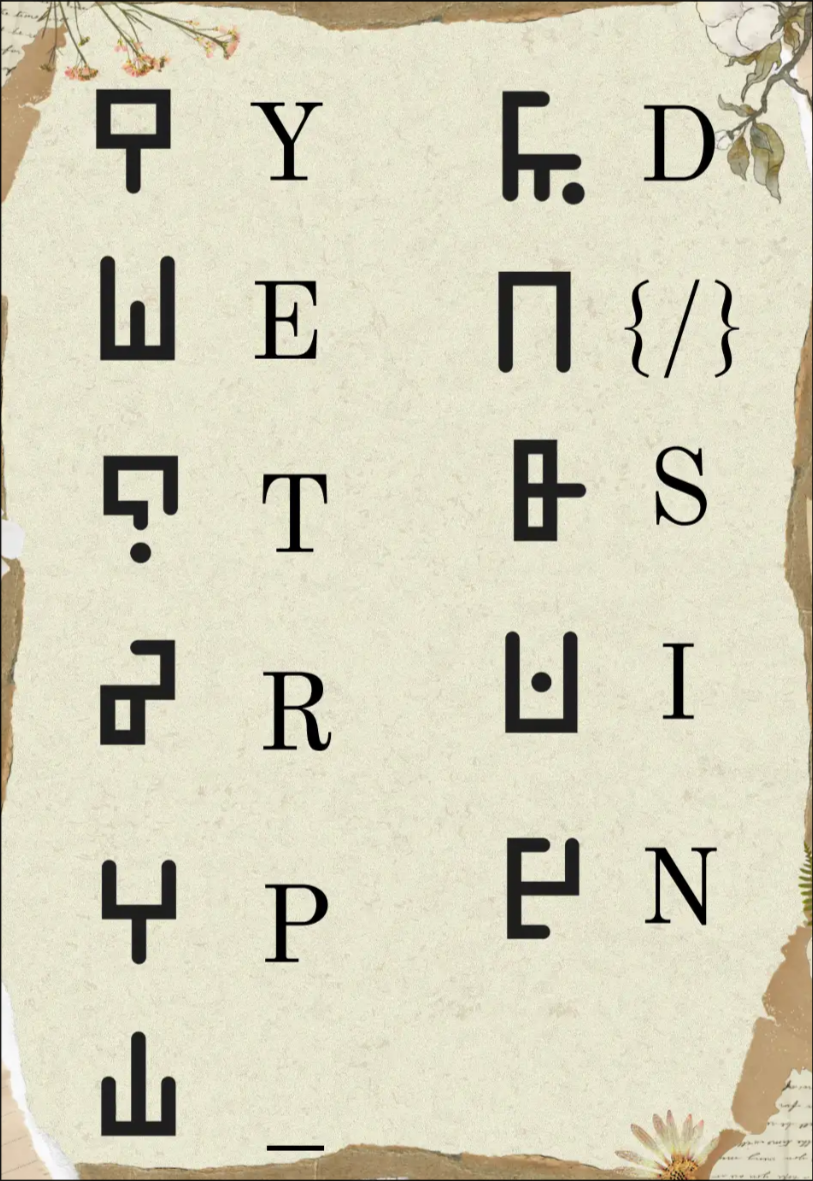
Resources I used:
- Rune Generator - for generating the runes
- Tilt (Spoof Text Message App) - for text tilt spoofing
2. Looks can be deceiving
This is one of the harder challenges that I made, mostly because it ended up with 0 solves.
The challenge involves a race condition and font manipulation.
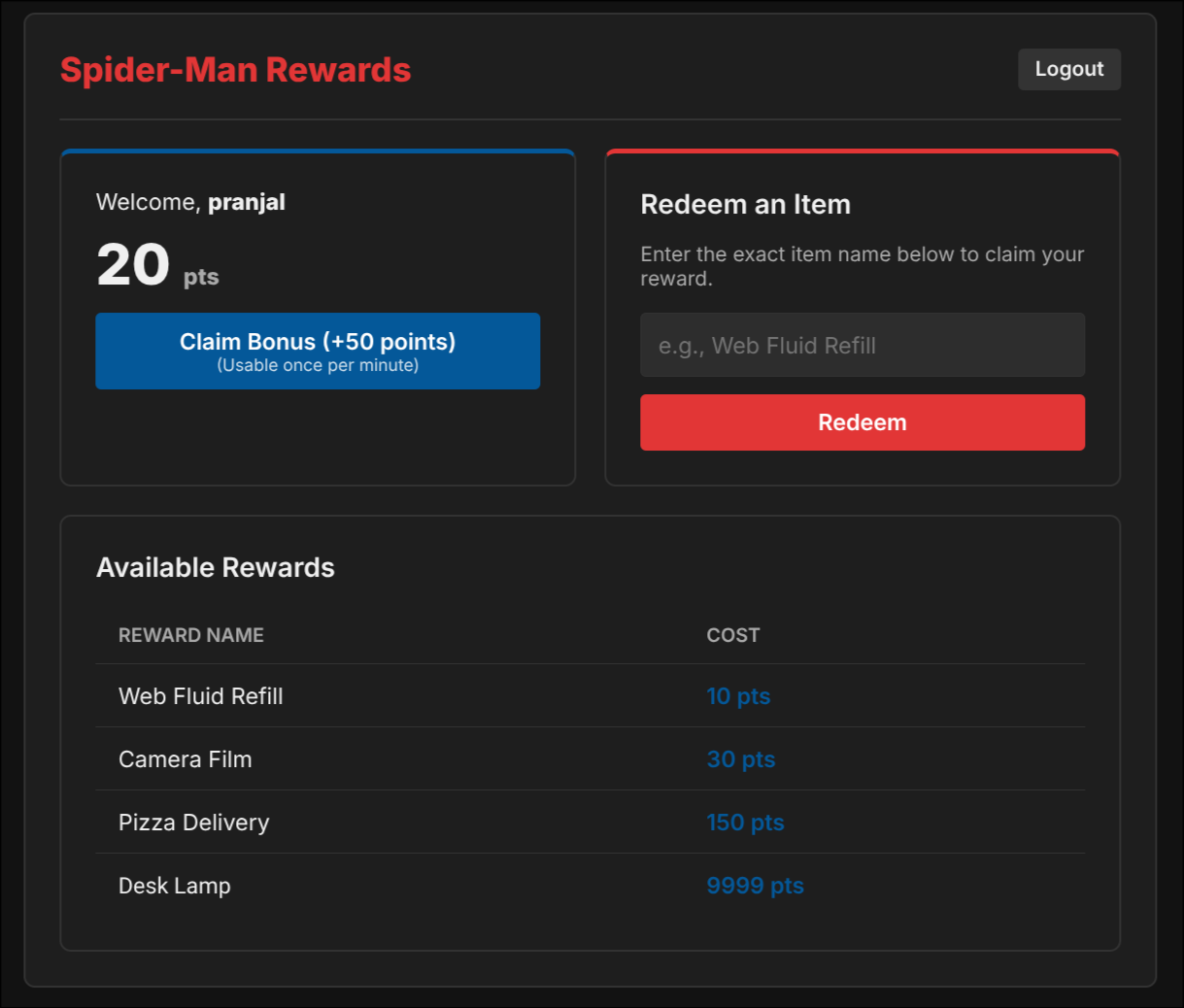
The site is supposed to allow claiming only 20pts per minute. Other items can be claimed normally, but the most expensive item (the "Desk Lamp") costs 9999 pts, which would take a lot of time to reach legitimately.
This is a common pattern for a race condition. By using an automated .py script or Burp Intruder, you can get the money within the first burst of requests.
Now, the tricky part comes: to claim an item, you need to write the item name in the input box. But when someone tries to submit the item name "Desk Lamp", the server responds with:
item not found in the database
Even though it worked for other items! The solver has to look at the source code and realize that a custom font is being used specifically for the "Desk Lamp" item. Because of this, the actual text name of the "Desk Lamp" might be something completely different.
After downloading the custom .ttf file from the source, the solver has to load the file into a font viewer like FontForge or FontDrop.
Opening the file and going to the lua range of the font, it can be seen that the letters used to display "Desk Lamp" are actually mapped to different underlying characters.
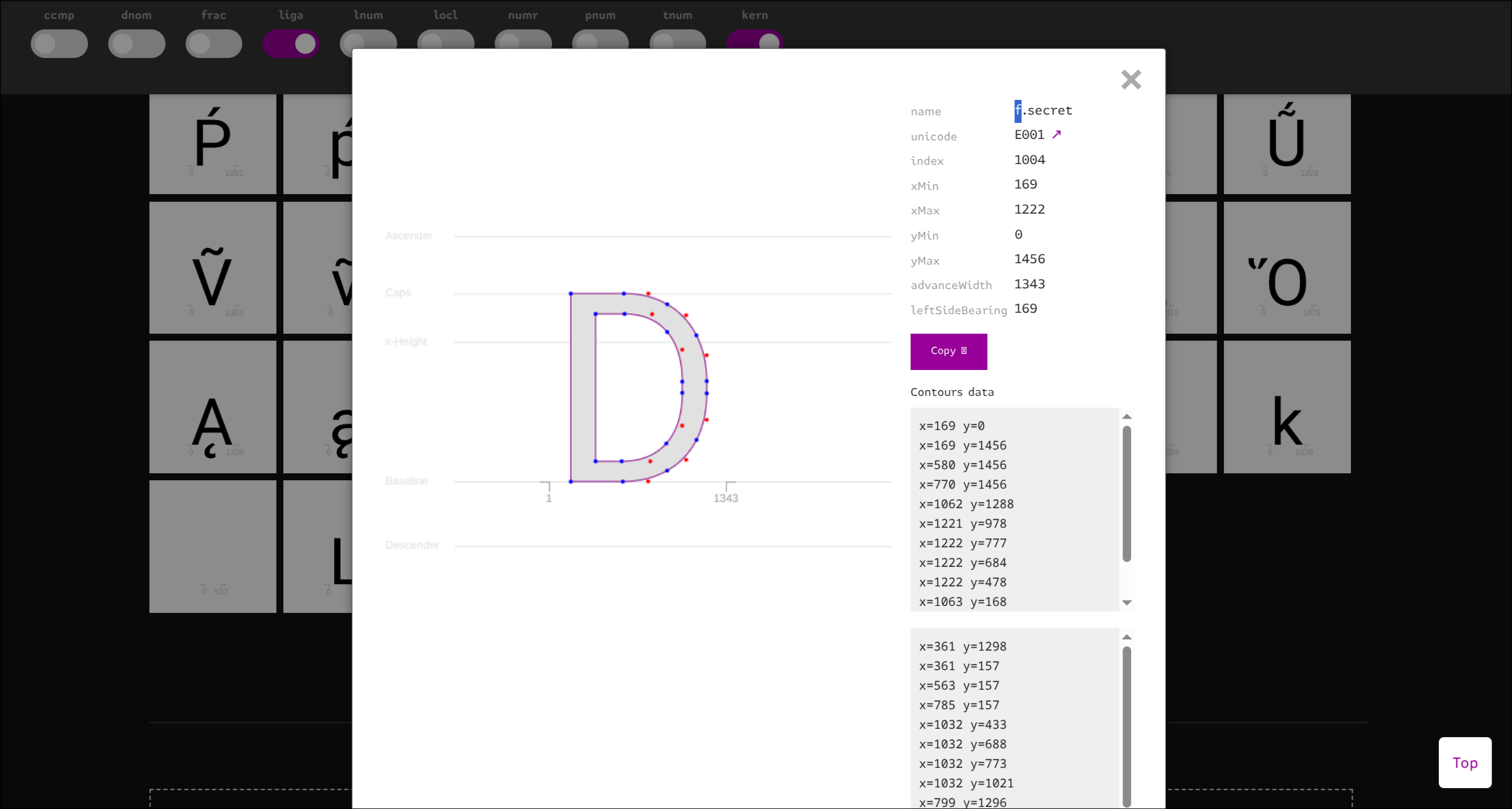
It can be seen that D is mapped to f, e is mapped to l, and so on. If we map out the entire string "Desk Lamp", we get:
Displayed:  D  e  s  k     L  a  m  p
            ↓  ↓  ↓  ↓  ↓  ↓  ↓  ↓  ↓
Actual:     f  l  a  g  -  i  t  e  m
This reveals the actual item name in the database is flag-item.
After submitting this, the flag is claimed!
Resources I used:
- FontDrop - for inspecting the custom
.ttffile mappings
3. Photographic Evidence
This challenge features an RCE (Remote Code Execution) vulnerability hidden behind a file upload mechanism.
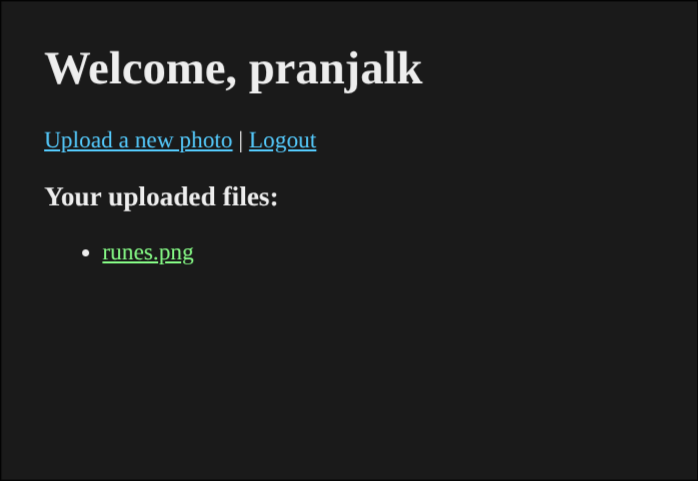
The server allows you to upload an image and then view it at /render/<filename>.
The solver can go to /robots.txt to find this:
User-agent: *
Disallow: /render/
Disallow: /admin/
Disallow: /uploads/

# Internal note: caption auto-processing endpoint under /render/
# TODO: restrict execution permissions for .py before launch
The aim becomes to upload a .py file somehow.
When one directly try to upload a .py file it does not allow it.
The solver has to figure out in which way the server is validating whether a file is a image or not.
In this case, the validation relies entirely on magic bytes (file signatures) rather than the actual file extension. To bypass this, all the solver has to do is create a script and add the magic bytes of a valid image format (like JPEG or PNG). The server will see the header and accept the file.
Here is a basic script to make such a file.
with open("heck_program.py", "wb") as f:
    f.write(b"\xff\xd8\xff\n")
    f.write(b"import os\nprint(os.popen('cat /flag.txt').read())\n")
This will generate a file that can be uploaded on the server to get the flag.txt.
Of course, its possible to first do other linux commands to find the file name to make less guessable.
NOTE: The file has to be generated either using a script or HEX editor because if one makes changes to the file using an editor, most editors will replace the bits.
4. VIT ON TOP
This one is an easy OSINT challenge. The viewer just have to go to the wikipedia and view history.
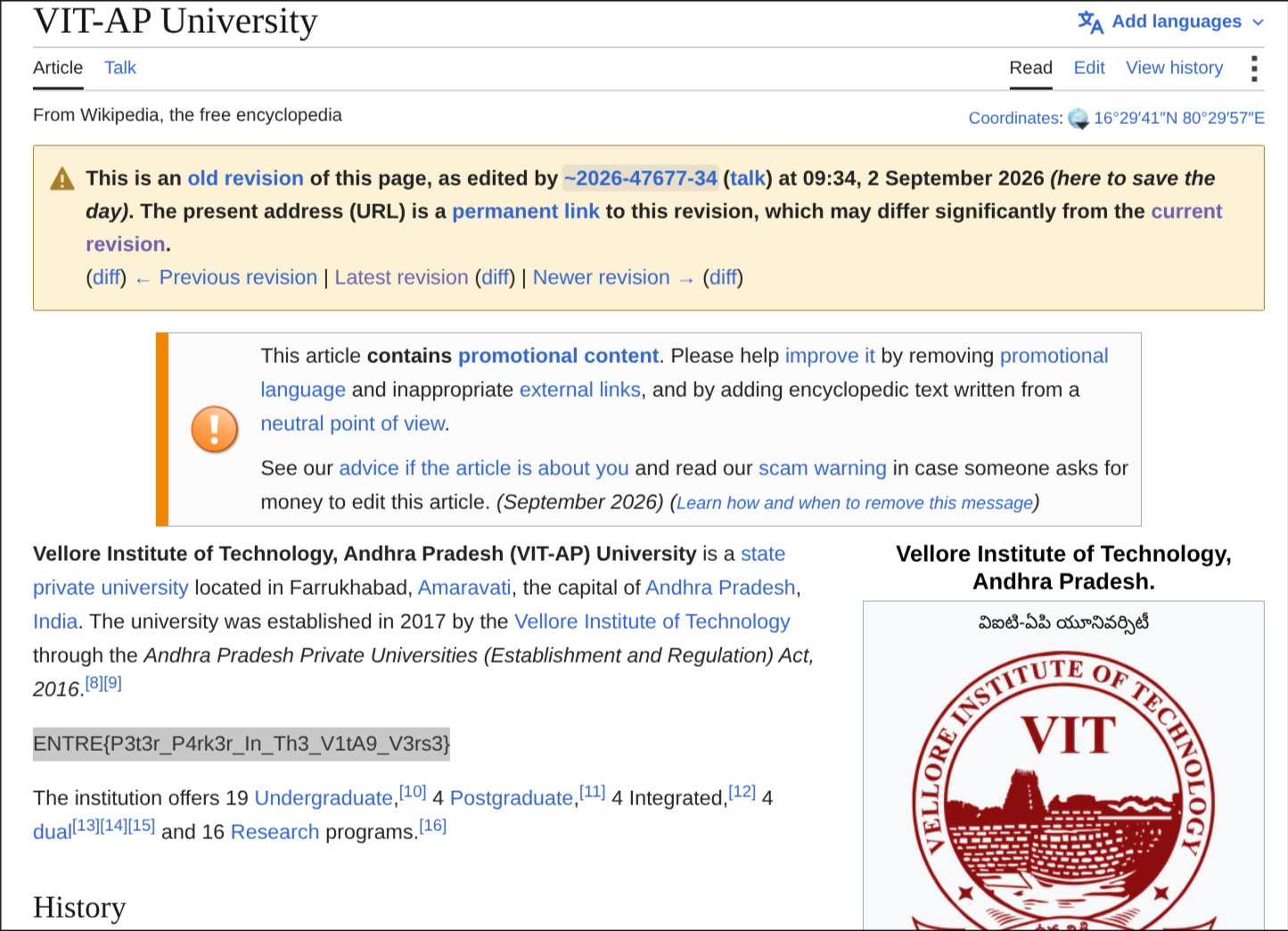
In the history, there is comment here to save the day.
By browsing the wiki page when the comment was made, the flag is visible in plain text.
It was my first time developing challenges for a CTF. It was a fun time! Thanks for reading this and to everyone who participated :)
Here are a few blogs for the same CTF from other authors: